Start a chat.
 Call us.
 WhatsApp us.
 Create a ticket.
You once set up Gmail so that you can send emails from your own domain name while still working right in the Gmail dashboard. For many entrepreneurs, this is a practical solution: you enjoy the convenience of Gmail, but send emails as info@webtify.nl. That’s exactly why it’s important to know that Google is phasing out this feature, and it won’t work anymore soon.
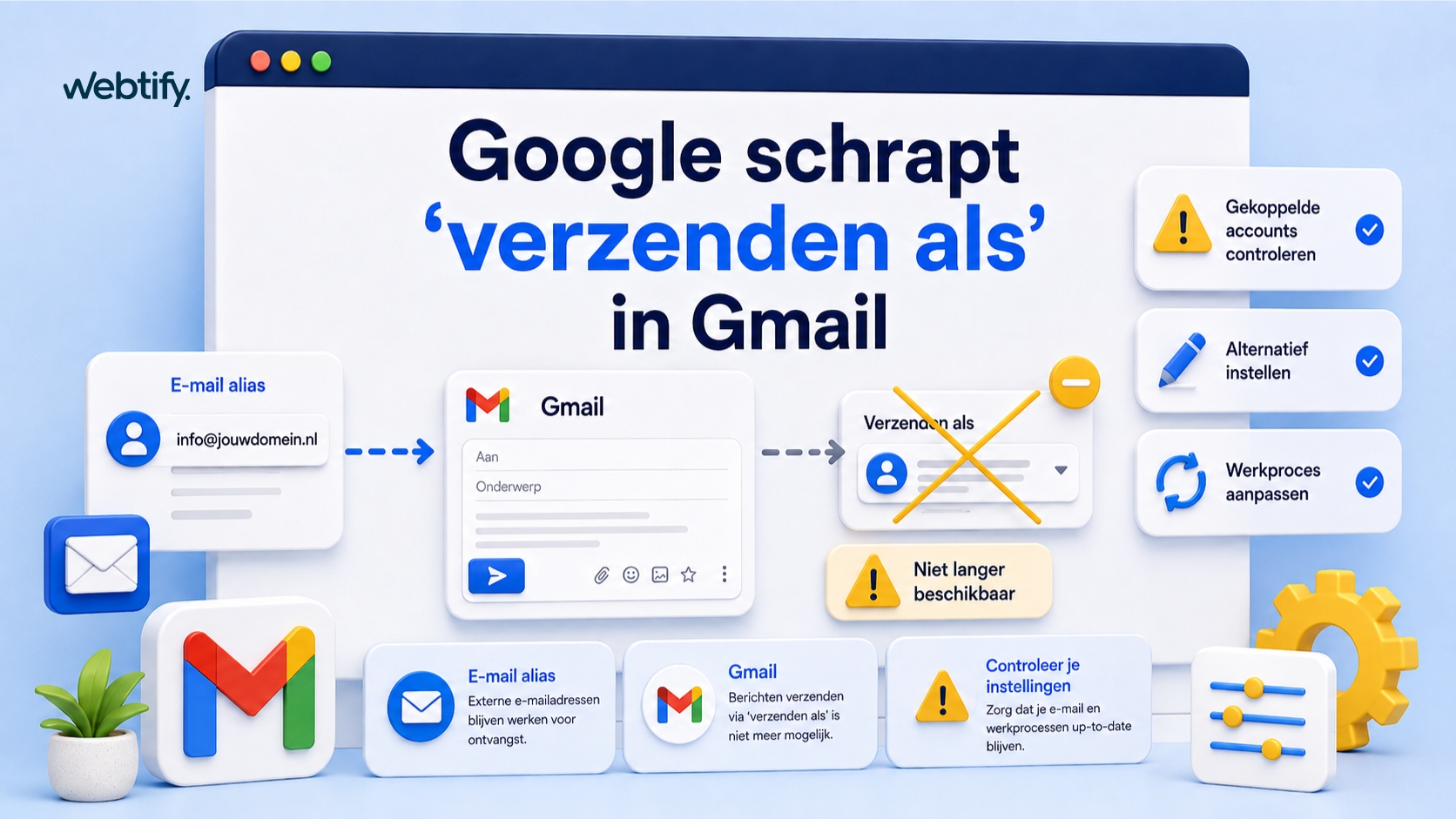
Google is phasing out the "Send as" feature in Gmail for some of the current options related to external email accounts. According to information in the Gmail Help Center, Google will stop offering this feature to new users after the first quarter of 2026, and existing users will still be able to use it until January 2027. This is relevant for many Webtify customers, as they use Gmail in combination with an email address on their own domain.
What exactly is changing in Gmail?
The change concerns features that allow Gmail to retrieve and process messages from other email accounts. Google states in the Gmail Help Center that support for "Check mail from other accounts via POP" will be discontinued. New users will no longer be able to set this up after the first quarter of 2026, while existing users will have until January 2027 to do so.
In practice, the "Send as" feature is closely related to this for many users. They receive emails from an external address in Gmail and then reply to those messages from that same address. If that setup is removed, you often have to change the way you work to maintain the same level of convenience.
Why is this important?
To business owners, this might seem like a minor technical detail, but it isn’t. Your email inbox is often linked to quotes, contact forms, support requests, and daily customer communications. If you’re currently sending emails from Gmail on behalf of a business address that isn’t actually hosted on Gmail or Google Workspace, there’s a good chance you’ll need to make some adjustments.
At Webtify, we see this all the time: business owners want the sleek Gmail interface, but technically, their email is hosted somewhere else. That often works just fine for years, until a provider changes its policies. Only then do you realize just how many processes actually rely on it.
Examples of situations that may be affected
- You use Gmail to retrieve email from your hosting mailbox
- You reply to messages in Gmail using your own domain name
- You use a single Gmail account to manage multiple mailboxes
- You don't want to use a separate email program or an additional webmail interface
What is still possible?
Not everything is going away. Google says that on mobile, you can still add other accounts in the Gmail app via a standard IMAP connection. It will also still be possible to use Gmail itself in other email apps via POP or IMAP. So this isn’t the end of email integration in general, but rather the end of specific Gmail features for retrieving email from external accounts.
In addition, you can still perform a one-time import of emails and contacts. According to Google, however, only the ongoing synchronization of external mailboxes to Gmail will stop. That is precisely the difference that matters to many business owners.
What's the best thing to do now?
If you or your team uses this setup, it’s a good idea to review it well before January 1, 2027. If you wait too long, you run the risk of email processes suddenly becoming more cumbersome or of employees having to adjust at a time that’s actually inconvenient.
The first step is simple: figure out exactly how your email works right now. Are you actually using Google Workspace, or are you just using a regular Gmail address as an intermediary for another mailbox? That difference determines which solution makes the most sense.
- Check which mailboxes are currently being retrieved via Gmail
- Check whether you're sending emails from an external domain via Gmail
- Check to make sure your email is configured correctly, including SPF, DKIM, and DMARC
- Determine whether switching to Google Workspace, a standalone email client, or another solution is the best fit
If you have any questions about the technical side of things, it’s a good idea to also check out our explanation of DNS and why business emails end up in spam. Especially if you plan to make any changes to your email routing, you’ll want to make sure those settings remain correct.
What alternatives are there?
The best solution varies from company to company. Sometimes switching to Google Workspace makes the most sense, since it allows you to manage your business email directly within Google. In other cases, a good email client or a reliable webmail solution is sufficient. The most important thing is that you don’t continue to rely on a feature that will soon be discontinued.
At Webtify, we’re often asked whether this is just a matter of usage. Usually not. Email also affects your domain, your hosting, your forms, and the reliability of your communications. That’s why it’s smart to look at this from a broader perspective than just “where do I click to send an email?”
If you use contact forms on your website, it’s also a good idea to check right away how those emails are sent. Our blog posts about contact forms in WordPress and what reCAPTCHA is can help with that.
Taking care of things now prevents hassle later
The fact that Google is going to phase out “Send as” in Gmail is particularly inconvenient for companies that have grown accustomed to a handy workaround. Still, it’s also a logical time to properly restructure your email system. That way, you’ll avoid last-minute adjustments and ensure your business communications continue to function reliably.
If you use Gmail in combination with an external business email address, now is the time to check how that integration is set up. We can help you with this; we’re currently migrating many of our customers to Microsoft Office 365.
Google is discontinuing certain Gmail features for external email accounts, including retrieving email via POP. For many users, this also affects the practical use of the "Send as Gmail" feature.
According to Google, new users will no longer be able to start using this feature after the first quarter of 2026. Existing users can continue to use it until January 2027.
That could certainly be relevant. If you use Gmail to retrieve email from an external mailbox and also to send email on behalf of that address, there’s a good chance you’ll need to adjust your current workflow.
Yes, Google states that on mobile devices, you can still add other email accounts to the Gmail app via a standard IMAP connection. So not all links will disappear.
Check how your email is currently set up, which mailboxes are routed through Gmail, and whether you’re sending emails from an external address. Make sure to arrange an alternative that suits your business well in advance of January 1, 2027.